AdminBolt for Blesta: Sell Hosting From Your Billing System
The AdminBolt module for Blesta is available as a free download, version 1.0.1. It connects your Blesta billing system to AdminBolt so you can provision hosting accounts, manage their lifecycle and give customers access to the panel from their Blesta client area.
Account provisioning and management
With Blesta's cron running and the relevant automation tasks enabled, paid services can be provisioned automatically. The domain on the service becomes the account's main domain. The username comes from the service, or AdminBolt generates it when the field is left empty. Each Blesta package maps to an AdminBolt hosting plan by its exact name, which determines the account's limits.
Blesta can suspend overdue services and restore them after payment according to your automation settings. An upgrade or downgrade changes the account to the AdminBolt plan mapped to the new package. When Blesta processes a service cancellation through the module, the corresponding hosting account is deleted. An administrator can also change the account password from the service edit screen in Blesta.
What your customer gets
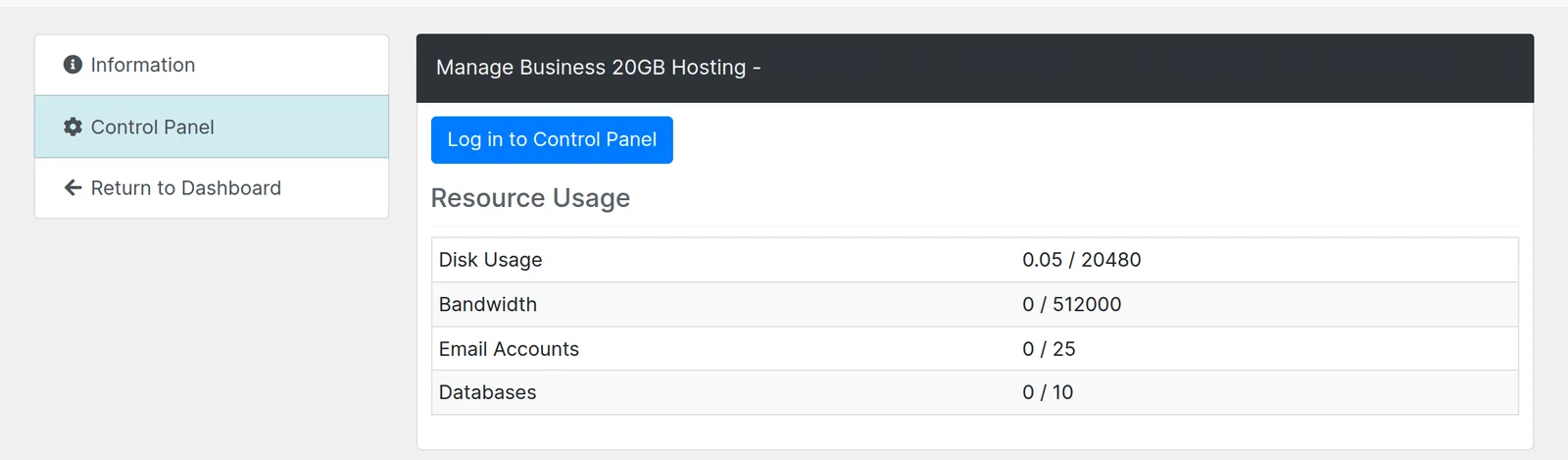
The client area grows a Control Panel tab on the service. It shows disk usage, bandwidth, email accounts and databases, each one against what the plan allows, or marked unlimited where the plan sets no ceiling. Customers can compare their disk usage with the plan limit without leaving Blesta.
Above the table is a Log in to Control Panel button. Customers can use it to open AdminBolt without entering a separate panel password.
Setting it up
Extract the ZIP and copy the adminbolt directory inside bolt-blesta into your Blesta installation's components/modules/ directory. Then install AdminBolt under Settings > Company > Modules > Available.
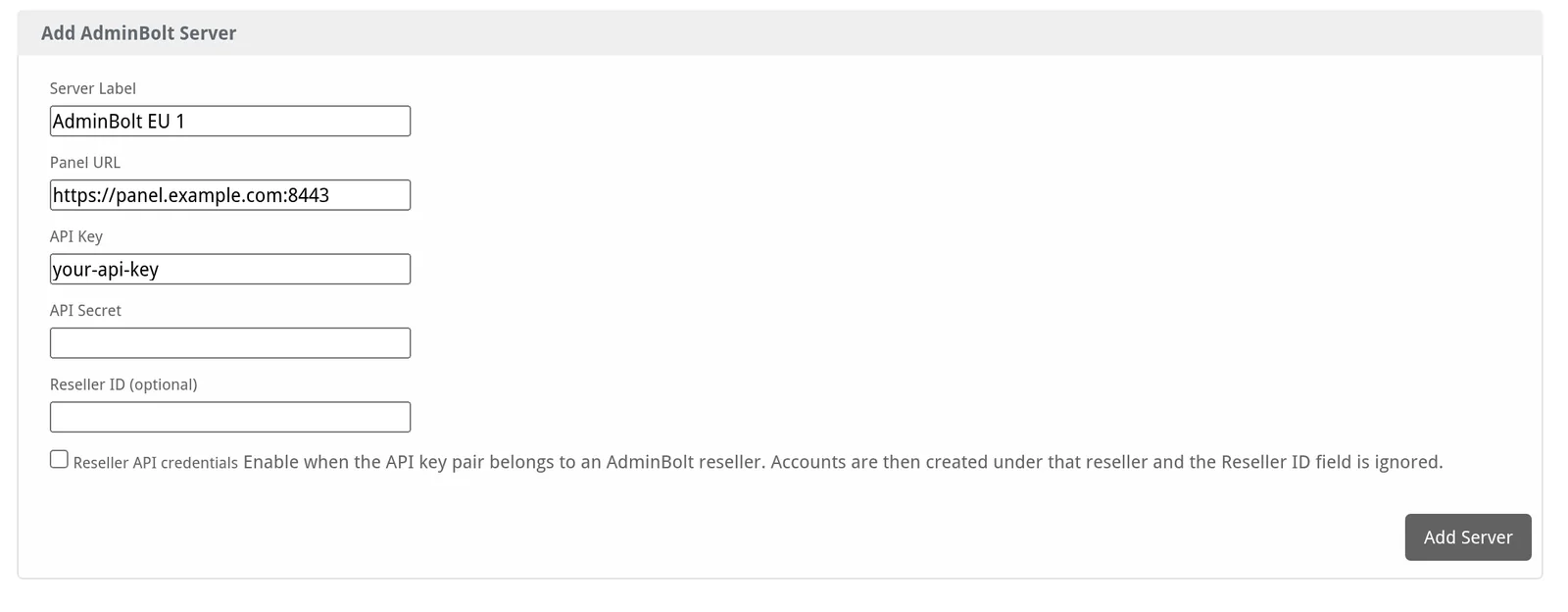
Next, add a server and a package in Blesta. The server holds the address of your panel and an API key pair, which you issue in the panel under Security > API Keys. Blesta checks the connection when you save the server, so a wrong address or a mistyped key is caught there rather than on a customer's first order. A package then names the AdminBolt hosting plan it sells, exactly as the plan is named in the panel.
Issue a separate key pair for each Blesta installation. One integration can then be revoked without disturbing the rest.
Resellers use the same module
A server row carries a Reseller API credentials switch. Turn it on when the key pair belongs to an AdminBolt reseller rather than an administrator. Accounts created through that server then belong to that reseller. The module uses the reseller API for account management, usage and panel login.
Resellers running their own Blesta installation use the same module. They need their reseller API key pair, the panel URL and the exact names of the hosting plans they will sell.
What it needs
The module requires Blesta 5.x, PHP 8.1 or newer with cURL enabled, and AdminBolt 1.8.2 or newer. Choose a PHP version supported by your Blesta release. AdminBolt 1.8.2 adds the username and plan-name lookups that the module relies on.
Where to get it
The package is a free download at get.adminbolt.com/bolt-blesta.zip. The README inside carries the install steps.
For questions or help with the module, contact us on Discord.