Clientexec AdminBolt Integration: Sell Hosting From Clientexec
Clientexec, the billing and client management system for web hosting businesses, now has a server plugin for AdminBolt, built by the Clientexec team. With the Clientexec AdminBolt integration, packages you sell become hosting accounts on your AdminBolt servers. Your customers get a one-click login to the panel from their client area.
The plugin ships with Clientexec 7.3.0, released on November 9, 2026. Clientexec lists it among the new features of that release. Its source is public on GitHub.
The GitHub version also runs on Clientexec 7.2.x.
Account provisioning and management
When you activate a package on an AdminBolt server, the plugin opens a hosting account for the package's domain on the AdminBolt hosting plan named in the product. The domain is required. If the package carries a username and a password, the account gets them. If either field is empty, or AdminBolt refuses the username's format, the panel generates the value and Clientexec saves it on the package.
From the package in the Clientexec admin area you can suspend and unsuspend the account. Deleting it through the plugin deletes the hosting account on AdminBolt. Moving the package to another product moves the account to the AdminBolt plan named in that product.
The plugin refuses a change of the main domain or the username with an error. Packages that already existed, for example ones brought in by an import, are matched to their AdminBolt accounts by an identical username the first time the plugin needs them.
What your customer gets
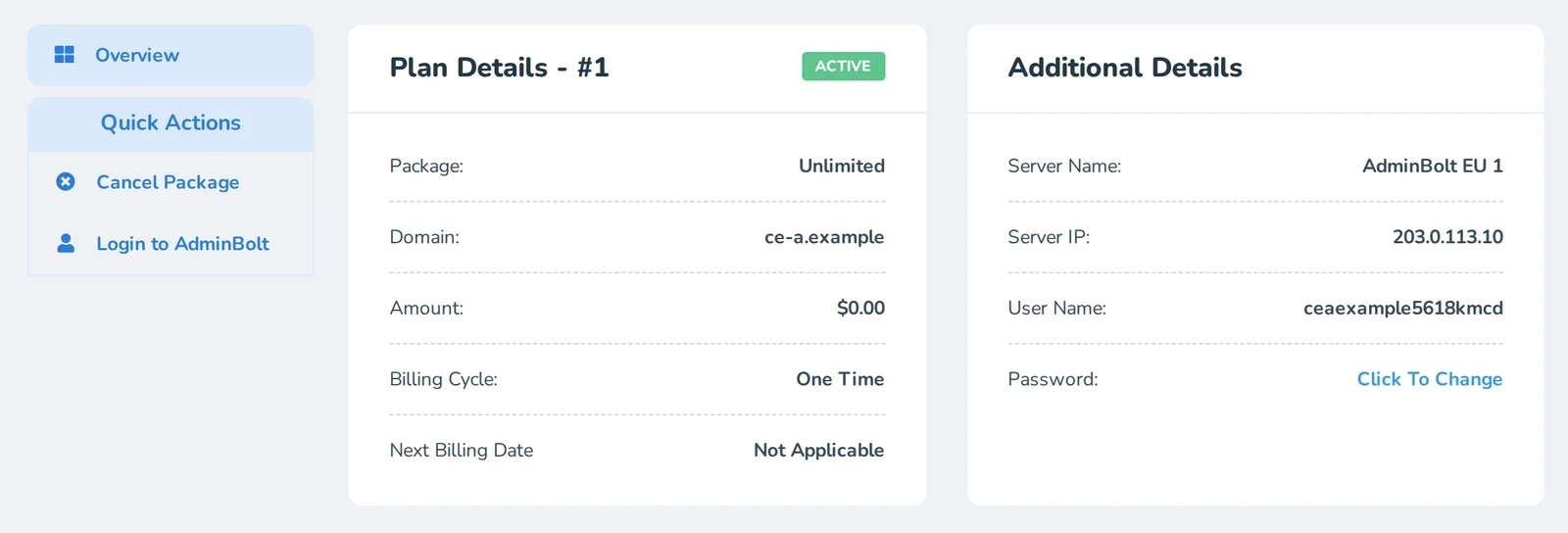
The package page in the Clientexec client area shows a Login to AdminBolt link under Quick Actions. It opens the customer's own panel without a separate password. Staff get the same link on the package in the admin area, which saves looking up credentials when a customer asks for help.
Setting up the Clientexec integration
First issue an API key pair in AdminBolt. Administrators create it under Settings > Security > API Keys in the admin panel, resellers on the Api Keys page of the reseller panel. Copy the secret when you create the key. A key can be limited to a set of source addresses, so limit it to your Clientexec server's address.
Next, add a server in Clientexec and choose the AdminBolt plugin. It takes:
| Field | What goes in it |
|---|---|
| Hostname | The hostname or IP address of your AdminBolt panel |
| API Key and API Secret | The key pair from the panel |
| Port | 8443 unless your panel runs on another port |
| Use Reseller API | Yes when the key pair belongs to a reseller |
| Verify SSL Certificate | Yes, unless the panel address shows a self-signed certificate |
Clear Prepend Username to Package Name on the same form. Clientexec selects it for a new server. While it stays selected, the panel cannot find the hosting plan and activation fails with "Hosting plan not found".
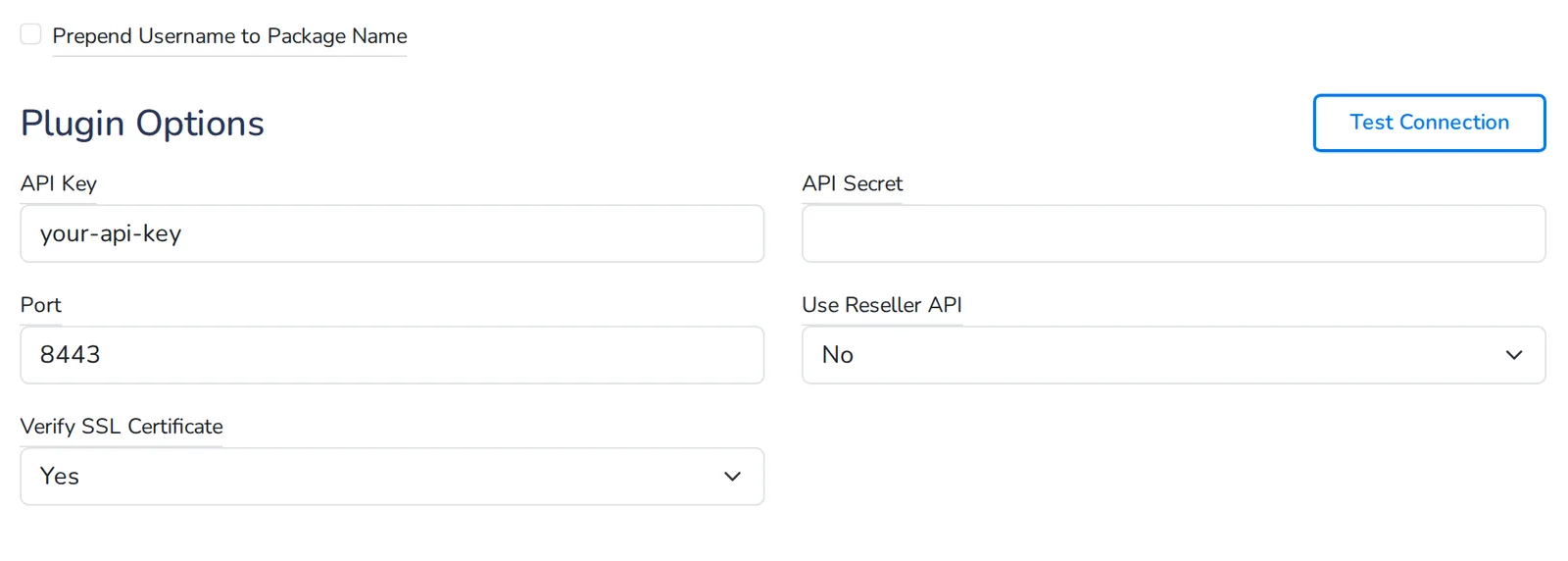
Since AdminBolt 1.9.4, a panel opened by its IP address shows a trusted certificate issued for that address once the panel has obtained it. Test Connection on the server form checks the address and the key pair, so a mistake shows up before a customer's first order.
Finally, open Advanced & Plugin Settings on each product, associate the AdminBolt server and enter the AdminBolt hosting plan in Package Name on Server. Spell it exactly as the plan is named in the panel.
The plan sets the account's limits.
Resellers use the same plugin
With Use Reseller API set to Yes, the plugin works with a reseller's key pair, which suits reseller hosting sold from billing. Accounts it creates belong to that reseller, on that reseller's own hosting plans.
A reseller running their own Clientexec installation needs their reseller key pair, the panel address and the exact names of the plans they will sell.
What it needs
On Clientexec 7.3.0 the plugin is already installed. On Clientexec 7.2.x, copy the plugin from GitHub into the plugins/server/adminbolt directory of your installation. We checked it with AdminBolt 1.9.5 on Clientexec 7.3.0 and on Clientexec 7.2.2.
Where to get it
The source is at github.com/clientexec/adminbolt-server. Questions about the plugin go to that repository's issues. AdminBolt also appears among the control panels on the Clientexec addons page.
Clientexec joins the other billing systems on our integrations page, next to the Blesta module. For questions about the panel side, find us on Discord.